VPL App
Vancouver Public Library Application UX Design Case Study
Vancouver public library is the place for everyone in Vancouver to enjoy learning, and to find and share new ideas and information. Its mobile app is intended to create the best possible experience for its members on the go, anytime and anywhere
- Title management in the personal account (personal shelves, holds, due dates)
- Advanced search and barcode scanner
- Branch map and availability information
- Community reviews and rates
- Explore featured sections (bestsellers, new arrivals)
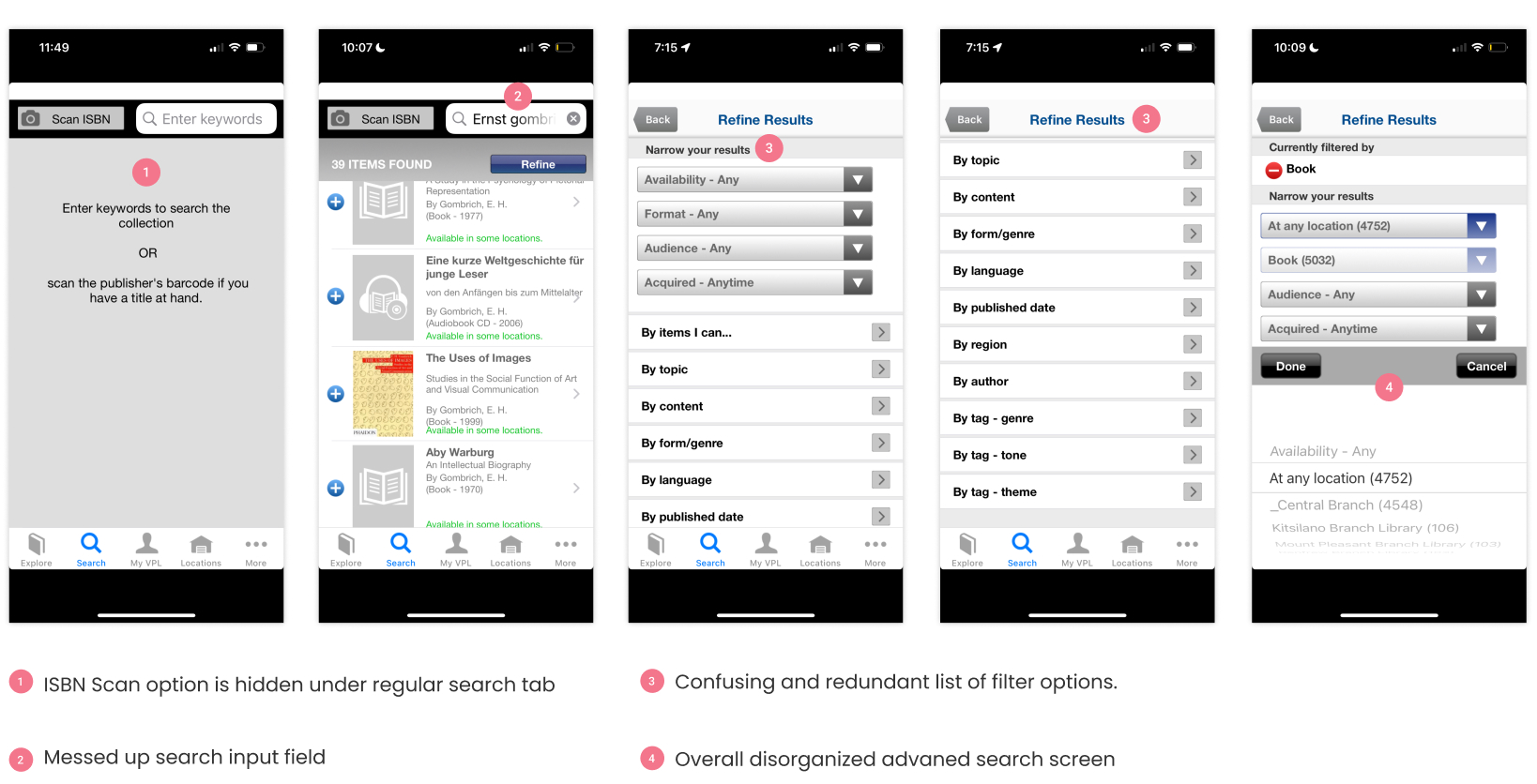
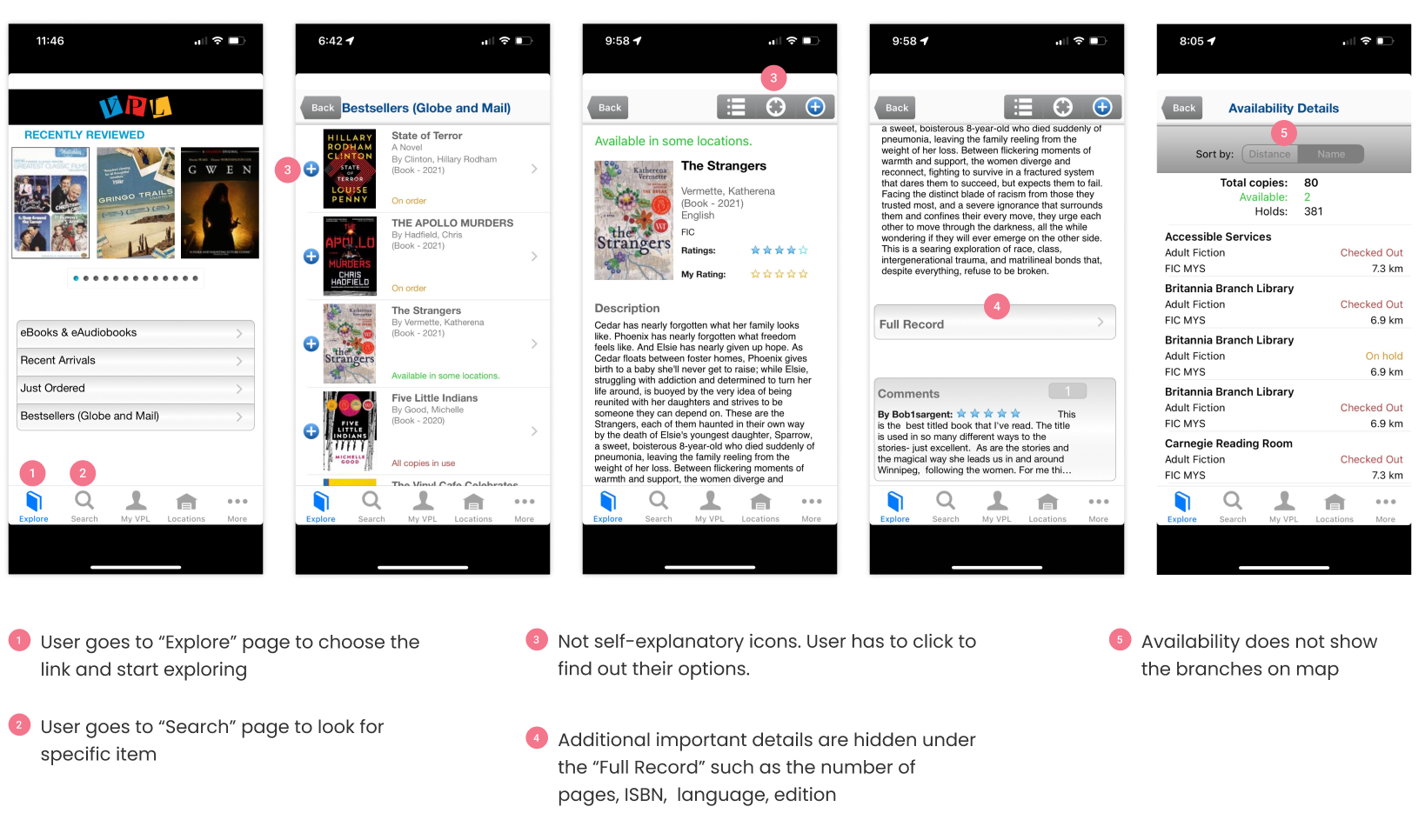
VPL app includes a large amount of content and functionality. Such as a huge digital catalogue of library items, that differs in format, topic, audience, genre, language, etc. My goal is to discover usability issues in the main user flows and scenarios like search titles, put the title on hold, navigate through the app, manage personal shelves
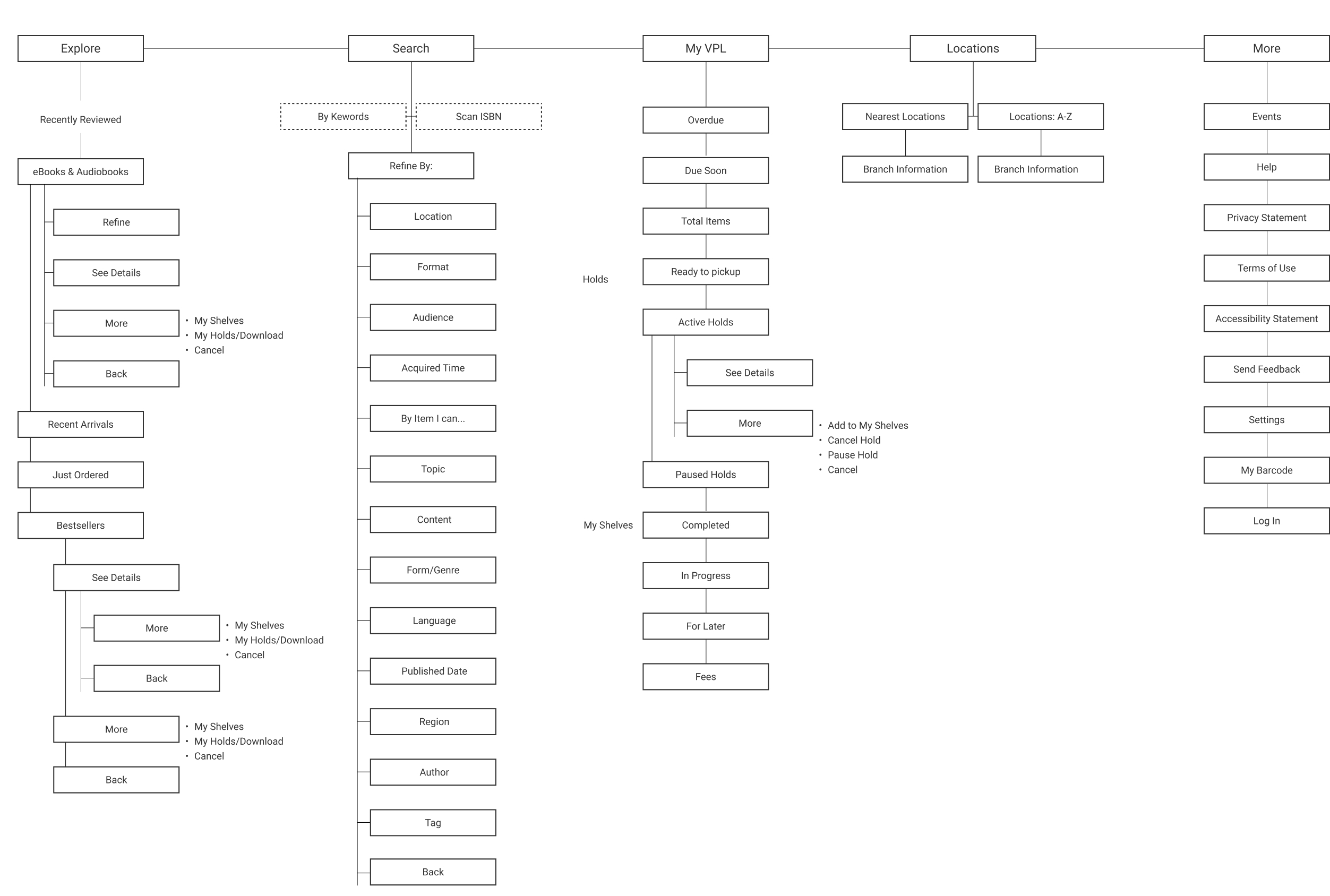
User Flow | Current (Version 1.14.3)
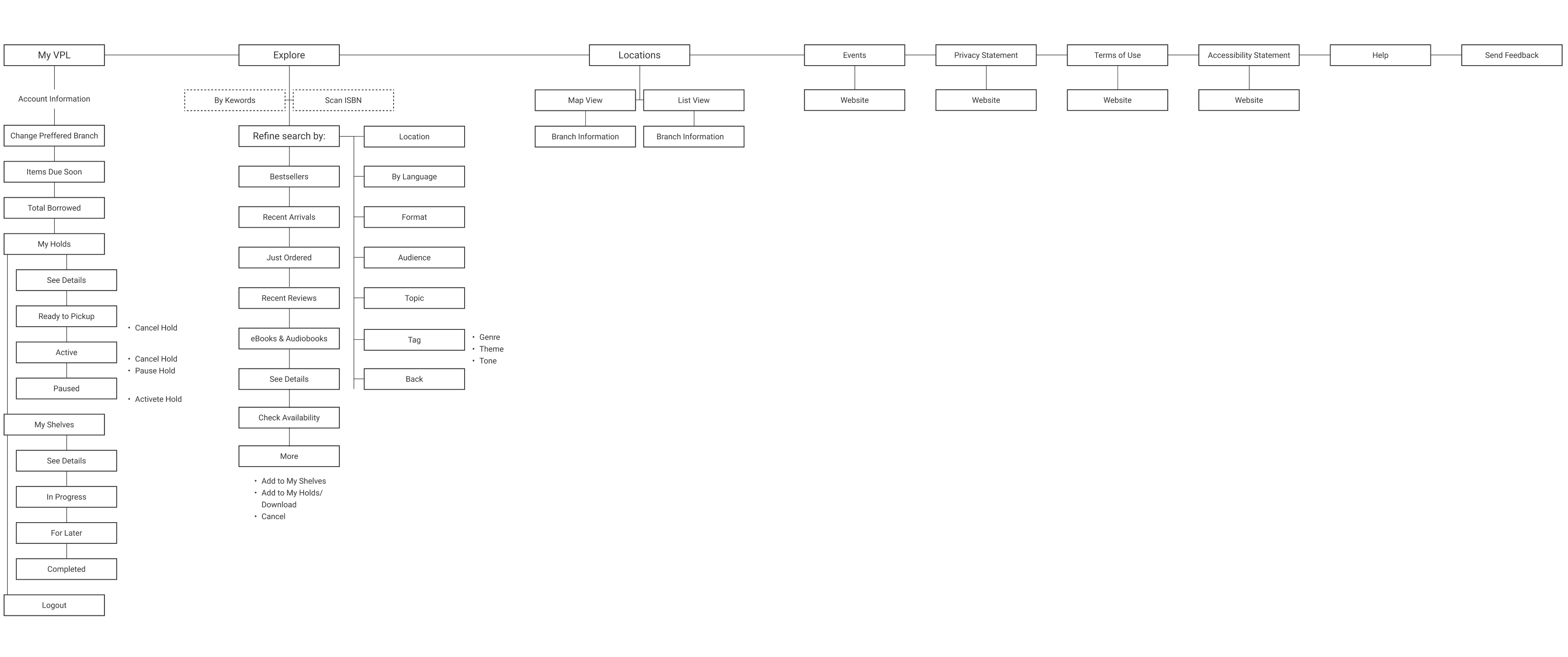
Navigation | Current (Version 1.14.3)
Search | Current (Version 1.14.3)
Explore | Current (Version 1.14.3)
"Put On Hold" Flow | Current (Version 1.14.3)
My VPL| Current (Version 1.14.3)
- More user-friendly interface thanks to the more efficient content organization
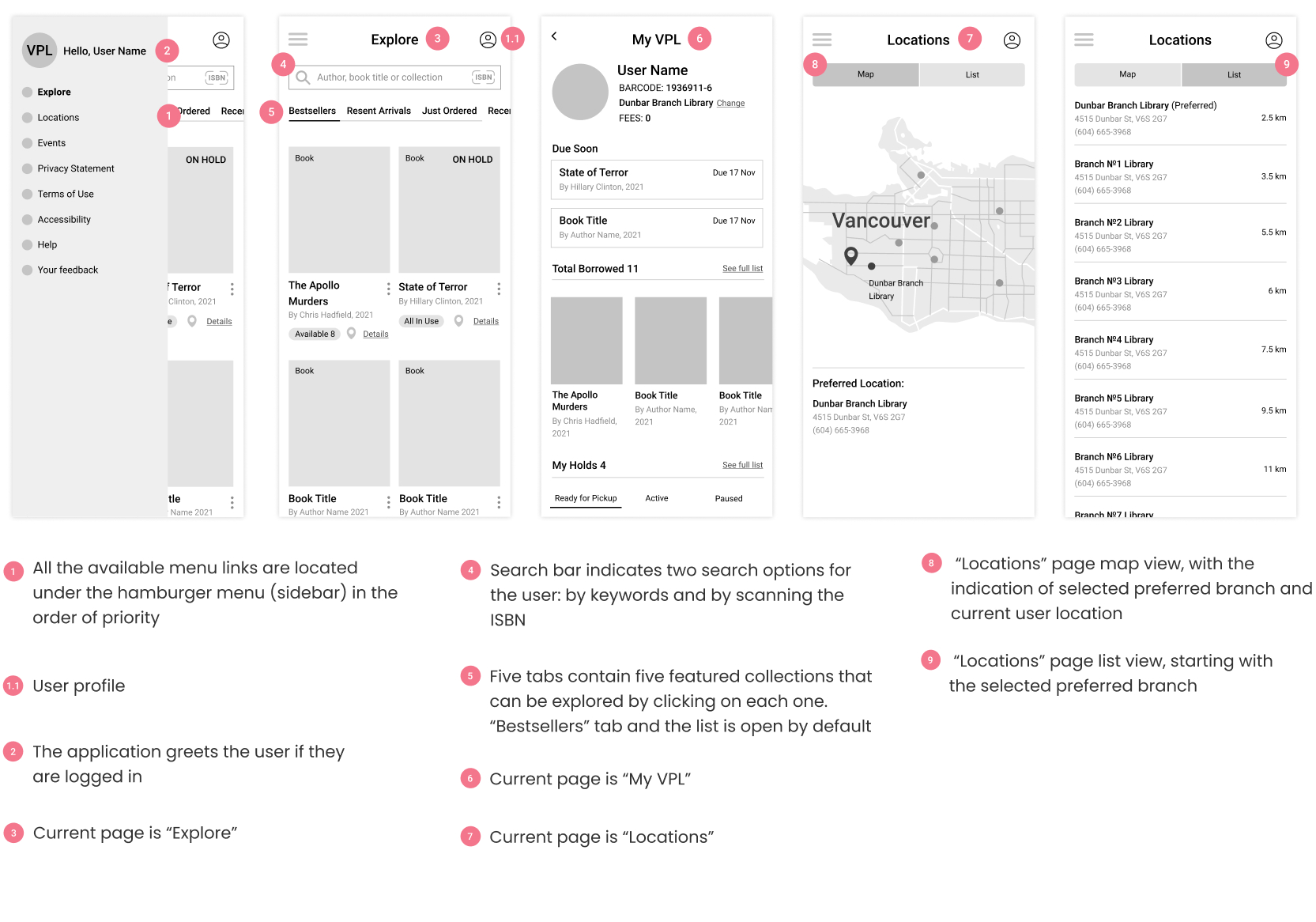
- Optimized top-level navigation with the Sidebar, which allows quick access to the entire app menu. The user profile is accessible on all screens as the top bar icon
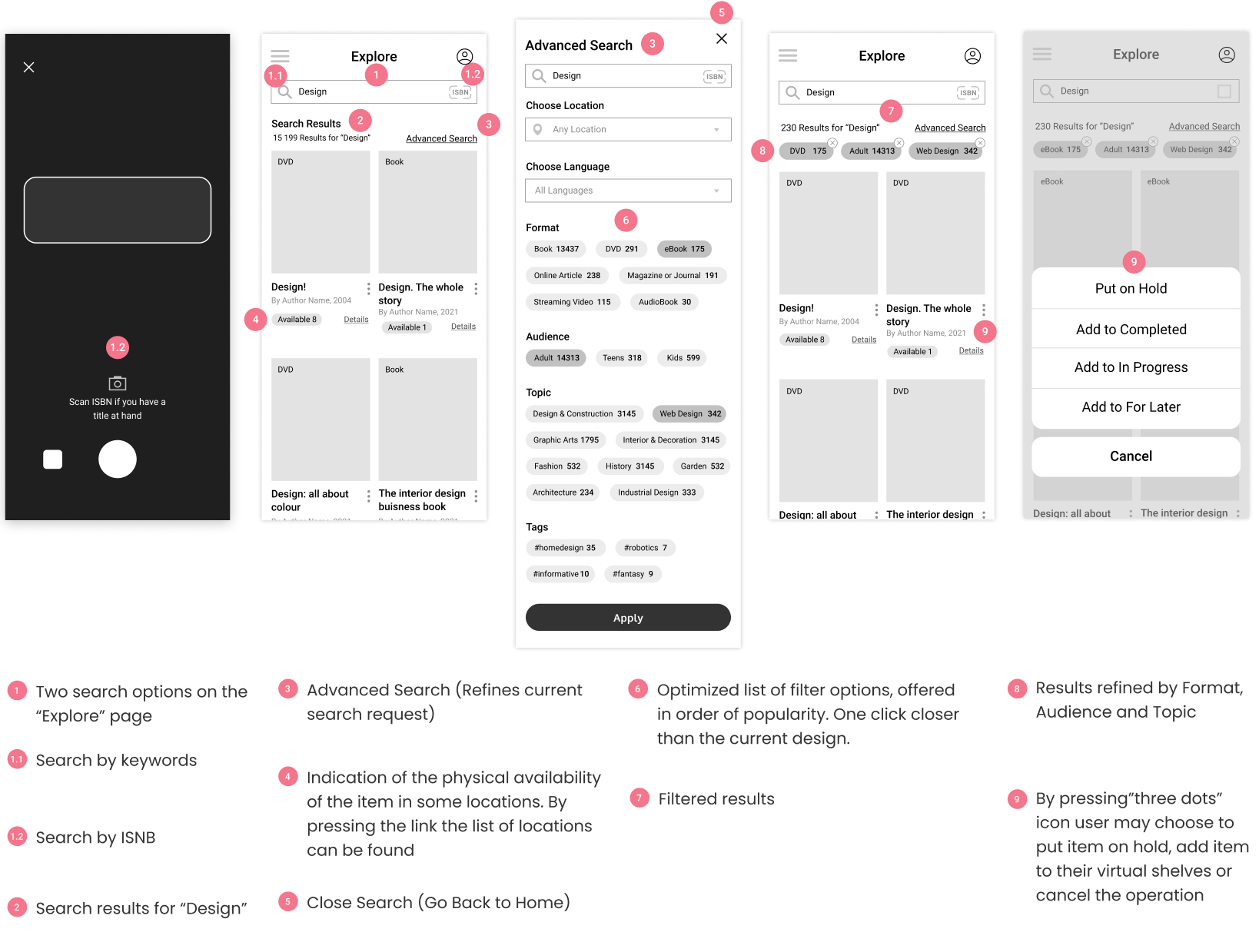
- Two of the main search options are now immediately available on the Explore page
- Important user profile information is now added to the My VPL page. All the main user account info sections are available for quick preview
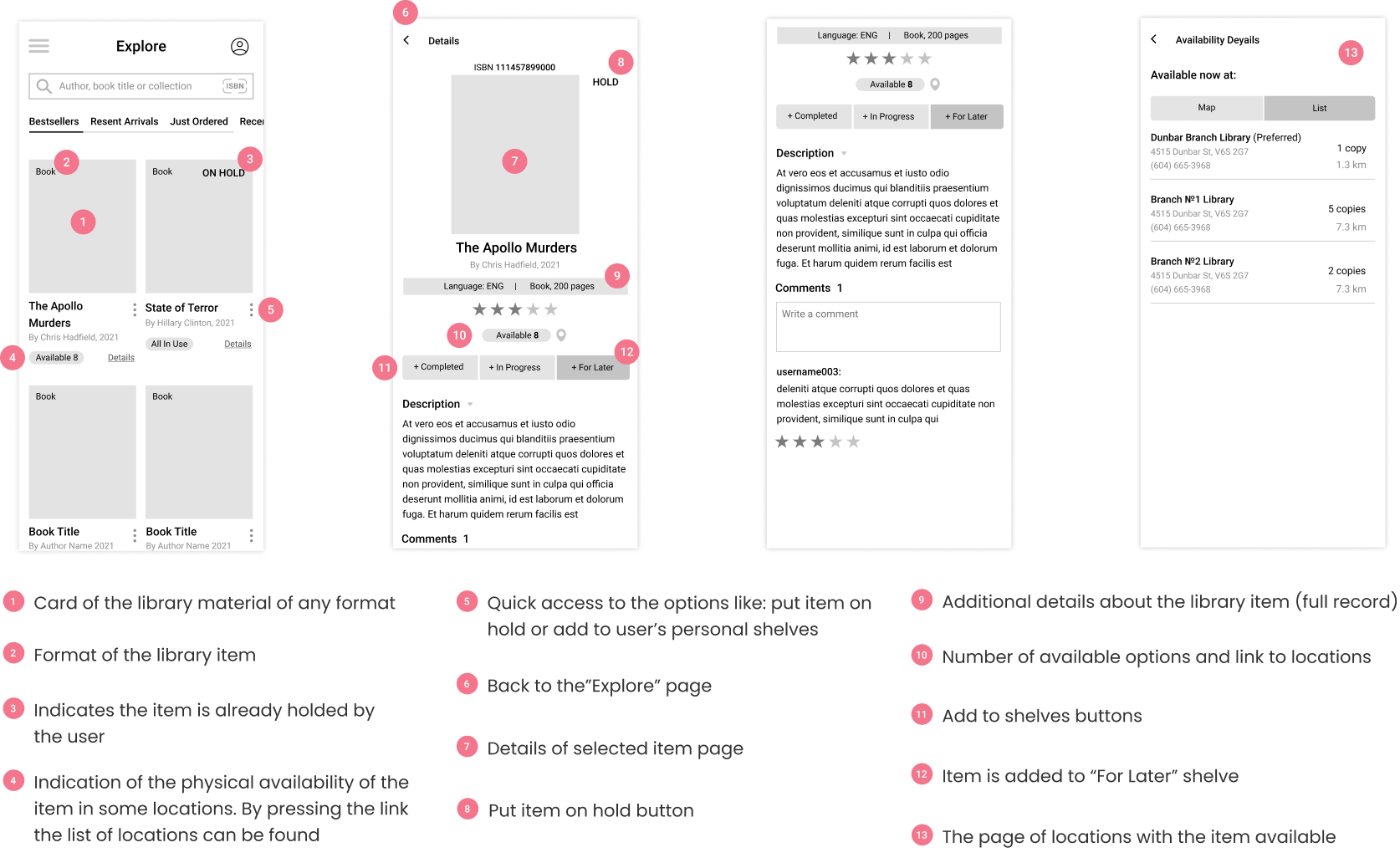
- The flow of putting the title on hold is improved
- The Title Details page functionality improved


.jpg)